- Contents
- Index
- Search

Show results that include all search words
Data Tab
The Data tab is the key to successful report creation as it allows you to select and manipulate the source data needed for a given report. These tasks are accomplished via two visual tools:
-
the Query Wizard
-
the Query Designer
These tools greatly simplify the often-difficult task of data selection by giving us the ability to select data without requiring too much in-depth knowledge of the underlying MYOB EXO Business database structures. Either of them can be used to achieve the same result, the difference being that the Wizard leads you step by step through the processes whereas the designer is a quicker way for the more advanced user to select the data.
The options on the main drop down menus at the top of the screen change when you move to this tab. By selecting one or more tables and joining these tables where needed, “Data pipelines” can be constructed containing only the data required in your report. This gives the benefit of speed, as the subset of data is smaller and any heavy processing is performed on the server.
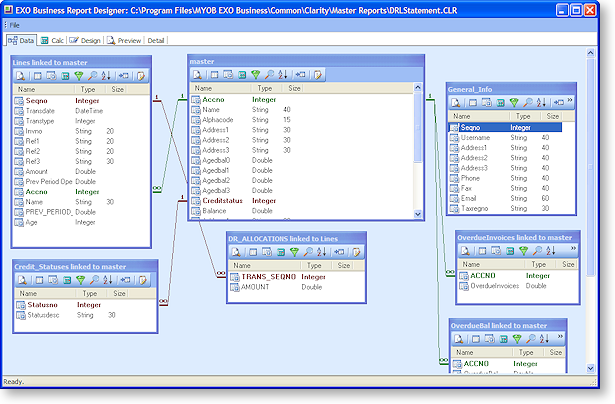
The screen capture below shows the data tab with a number of data pipelines. The coloured lines between the data pipelines represent the links between them. They link specific fields to each other, and are often slower than the table joins within the data pipelines, but there are extra benefits with these, which will be explained later.